Lab 10 – Packet Capture & Traffic Analysis
Capture, inspect, and analyze network traffic using Wireshark and Zeek to identify anomalies, patterns, and potential threats.
Objective Lab goal
This lab expands your network‑level visibility by capturing and analyzing traffic from your homelab. You’ll use Wireshark for packet‑level inspection and Zeek for protocol‑level analysis and log generation.
- Outcome 1: Packet capture performed on mirrored traffic.
- Outcome 2: Wireshark used to inspect packets and identify anomalies.
- Outcome 3: Zeek deployed to generate structured logs.
- Outcome 4: PCAPs exported and prepared for SIEM ingestion.
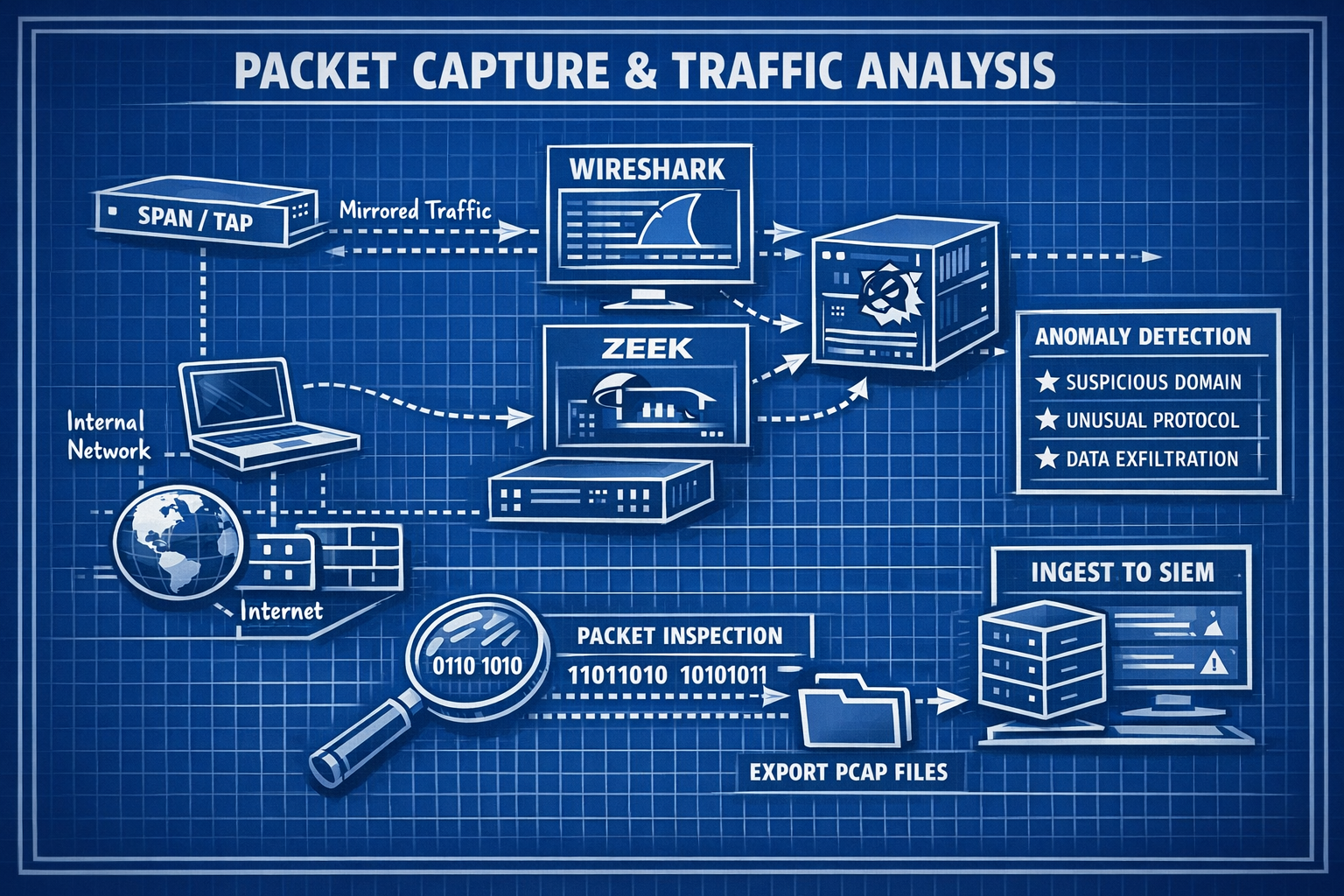
Lab 10: Capturing and analyzing network traffic using Wireshark and Zeek.
Deliverables End‑of‑lab checklist
- DL10.1: PCAP captured from mirrored traffic.
- DL10.2: Wireshark analysis completed with notes.
- DL10.3: Zeek logs generated and reviewed.
- DL10.4: PCAP and logs exported for SIEM ingestion.
- DL10.5: Documentation updated with findings.
Lab Steps Step‑by‑step instructions
Step 1 – Capture Traffic Using tcpdump
~20 minutes- SSH into your IDS/IPS VM.
- Run a packet capture on the mirrored interface:
sudo tcpdump -i eth1 -w capture.pcap
- Generate traffic by browsing, pinging, or scanning from WIN10‑LAB.
- Stop capture after 2–5 minutes.
Step 2 – Analyze PCAP in Wireshark
~60 minutes- Download capture.pcap to your workstation.
- Open in Wireshark and apply filters:
- http
- dns
- tcp.flags.syn==1
- tcp.analysis.retransmission
- Identify:
- Suspicious DNS queries
- Port scans
- Malformed packets
- Unusual traffic patterns
- Document findings with screenshots.
Step 3 – Deploy Zeek for Protocol Analysis
~45 minutes- Install Zeek on your IDS/IPS VM.
- Run Zeek against your PCAP:
zeek -r capture.pcap
- Review generated logs:
- conn.log
- dns.log
- http.log
- notice.log
- Identify anomalies or suspicious flows.
Step 4 – Export PCAP & Logs for SIEM
~20 minutes- Upload PCAP and Zeek logs to your SIEM (if supported).
- Tag logs with metadata for correlation.
- Document how network events align with host‑based alerts.
Reflection What you should understand now
- Visibility: How packet capture reveals low‑level network behavior.
- Analysis: How Wireshark and Zeek complement IDS/IPS detections.
- Correlation: How PCAP and logs enrich SIEM investigations.
With packet capture and analysis complete, you now have deep insight into network behavior. In Week 11, you’ll integrate threat intelligence feeds to enrich your detections.