Lab 8 – Incident Simulation & Response Workflow
Simulate a security incident to validate your SIEM’s detection, alerting, and response workflow. This lab closes Month 2 by testing your monitoring stack under real conditions.
Objective Lab goal
This lab validates your SIEM’s ability to detect and respond to simulated threats. You’ll perform a controlled brute‑force attempt, observe alert generation, and document your incident response workflow.
- Outcome 1: SIEM detects simulated brute‑force logon attempts.
- Outcome 2: Alerts trigger and correlate across authentication and network dashboards.
- Outcome 3: Response workflow documented and validated.
- Outcome 4: Lessons learned applied to improve detection rules.
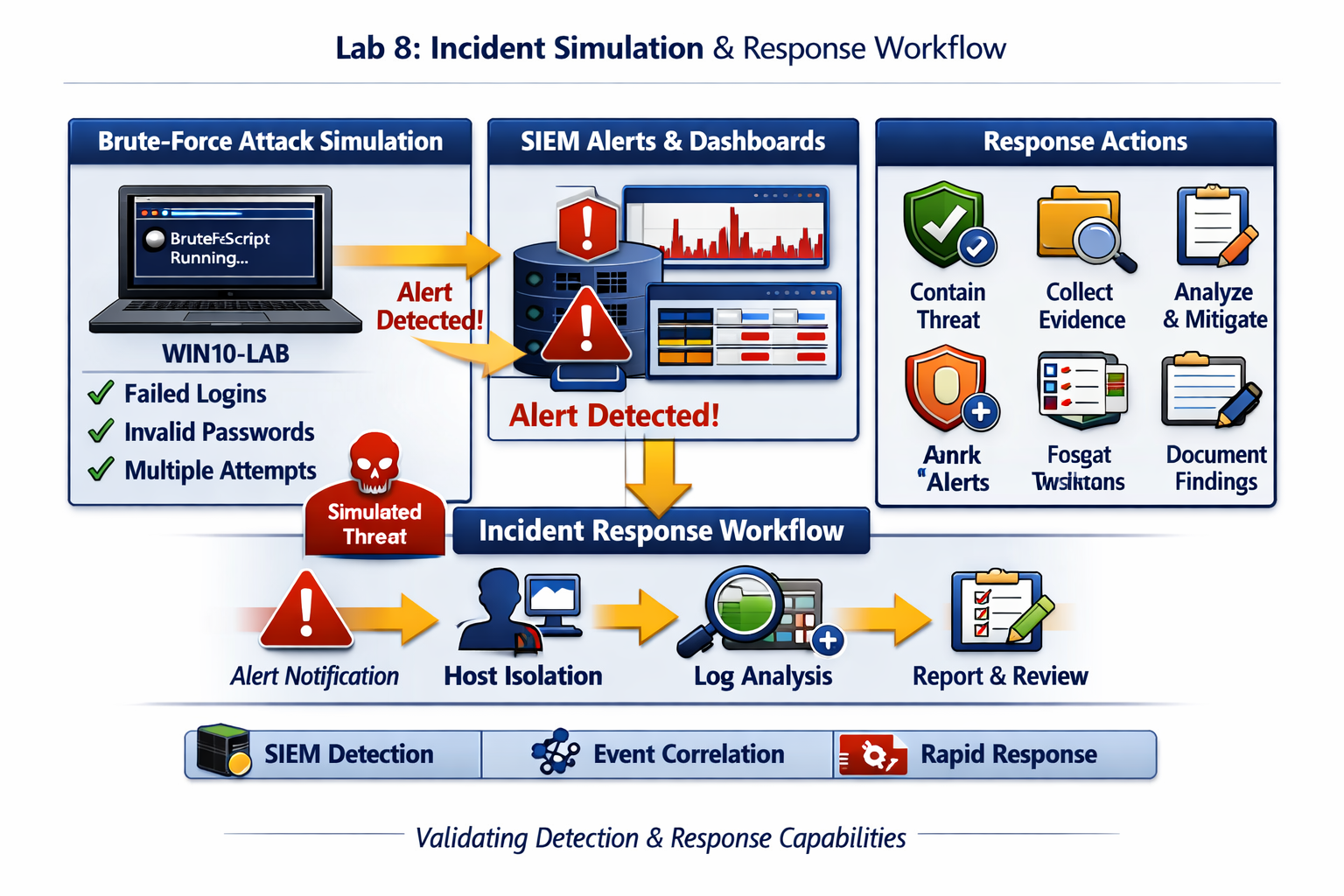
Lab 8: Simulating a brute‑force attack and validating SIEM detection, alerting, and response workflow.
Deliverables End‑of‑lab checklist
- DL8.1: Simulated incident executed and detected.
- DL8.2: SIEM alerts triggered and correlated.
- DL8.3: Response workflow documented.
- DL8.4: Detection rules refined based on findings.
- DL8.5: Post‑incident report completed.
Lab Steps Step‑by‑step instructions
Step 1 – Simulate Brute‑Force Logon Attempt
~30 minutes- On WIN10‑LAB, open PowerShell and run a script to attempt multiple failed logons to DC01 using invalid credentials.
- Monitor SIEM for Event ID 4625 (An account failed to log on).
- Confirm alert trigger and dashboard update in real time.
Step 2 – Correlate Events Across Dashboards
~45 minutes- Open Authentication Dashboard and note failed logon spikes.
- Check System Dashboard for policy changes or Defender alerts.
- Review Network Dashboard for related traffic or firewall blocks.
- Document event correlation between authentication and network layers.
Step 3 – Execute Response Workflow
~45 minutes- Follow your incident response procedure:
- Identify affected host and user.
- Contain the incident by disabling the account or blocking source IP.
- Collect logs and evidence for analysis.
- Document timeline and actions taken.
- Verify SIEM alert closure and status update.
Step 4 – Post‑Incident Review and Rule Refinement
~30 minutes- Analyze alert accuracy and timing.
- Adjust thresholds or correlation rules to improve future detections.
- Update SIEM documentation and response playbook.
Reflection What you should understand now
- Detection: How SIEM identifies and correlates malicious activity across multiple sources.
- Response: How structured workflows enable rapid containment and analysis.
- Improvement: How post‑incident reviews strengthen future defenses.
With this lab, you’ve validated your monitoring stack and response workflow. Month 2 is now complete — your homelab has a functional detection and response foundation. In Month 3, you’ll expand into network defense and intrusion detection systems (IDS/IPS).