Month 1 – Foundations & Segregation
Proxmox install, OPNsense gateway, lab LAN, and a basic Windows domain – all fully isolated.
Weeks Month 1 overview
Week 1 – Proxmox fundamentals
PlatformGoal: Install and harden Proxmox, create base storage and networking.
- Install Proxmox VE on your homelab box.
- Create vmbr0 for management/WAN.
- Document a first‑pass network diagram.
Week 2 – OPNsense & lab LAN
SegregationGoal: Deploy OPNsense as a virtual router/firewall and create an isolated lab LAN.
- Create vmbr10 for lab LAN.
- Install OPNsense with WAN on vmbr0, LAN on vmbr10.
- Verify lab isolation from ISP LAN.
Week 3 – Windows Server & AD
IdentityGoal: Build a small AD domain and join at least one Windows client.
- Install Windows Server 2022 on lab LAN.
- Promote to domain controller (e.g., corp.local).
- Join a Windows 10/11 VM to the domain.
Week 4 – Baseline hardening
SecurityGoal: Apply basic security baselines and document your initial “mini‑enterprise.”
- GPO password and lockout policies.
- OPNsense rules to block lab → ISP LAN.
- Write a short security baseline document.
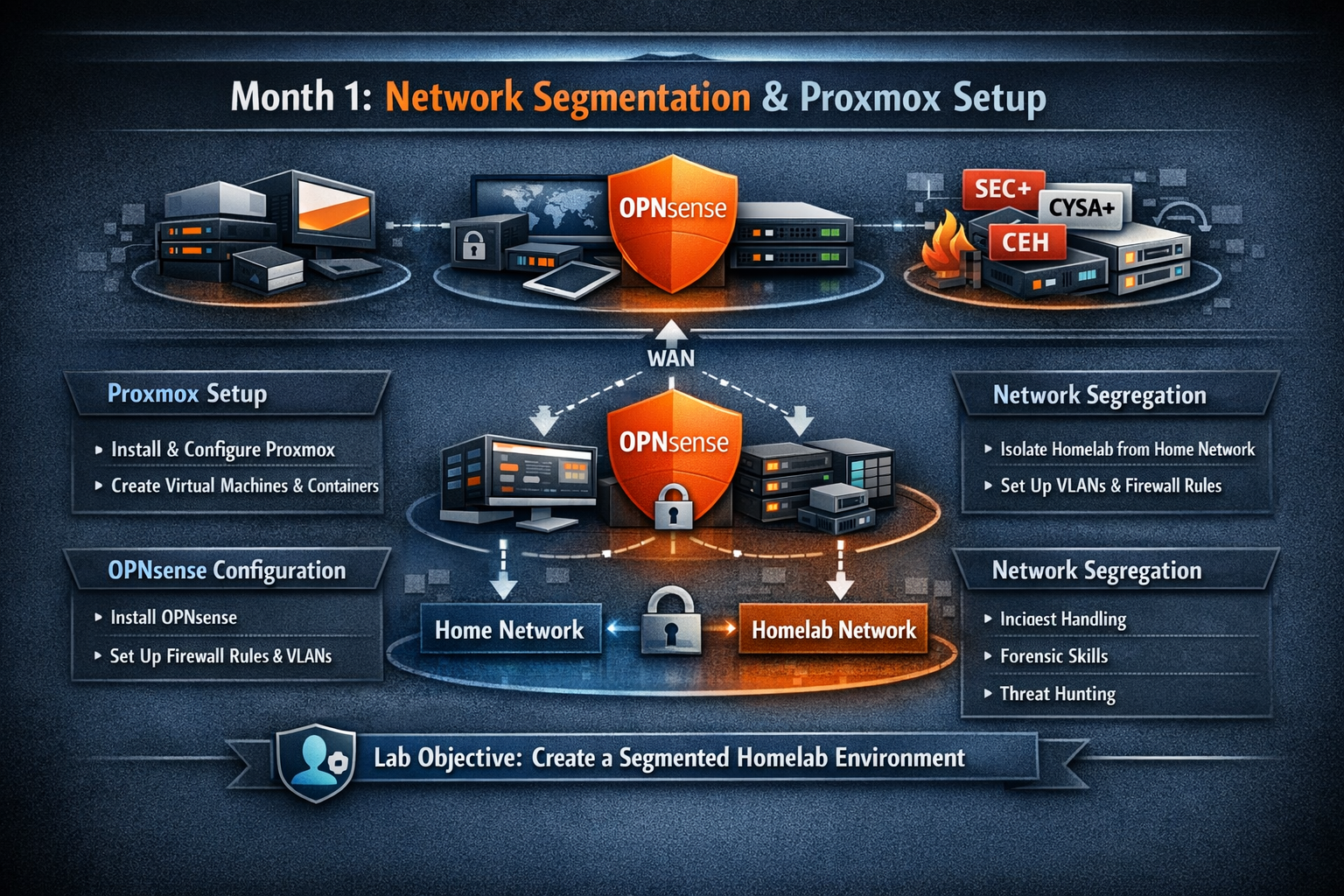
Month 1: Proxmox installation, OPNsense configuration, and network segregation between home and homelab environments.